
Twelve data fields are enough to get a sales team started, even one that still lives in a spreadsheet. Not fifty columns, and not an expensive system either: twelve fields, filled in properly and consistently by everyone.
Those twelve fields answer four questions that anyone on the team should be able to answer within thirty seconds: who the customer is, which stage they're at, when you last spoke, and what happens next. That lean dataset is your minimum CRM. CRM (customer relationship management) is simply the place where everything about your customers and deals is kept; it can be software or a carefully managed spreadsheet, built on the stage map you drew in lesson 2.
Picking the twelve columns takes an afternoon. Keeping them clean every day after that is where the real discipline comes in.
Why your data decides what AI delivers
AI is like a very talented chef. But hand the best chef in town a basket of wilted vegetables, and what you get back is a plate of wilted vegetables, beautifully arranged. When one company's name is written three different ways, or the same customer sits at two different stages in two reps' spreadsheets, any summary or score AI produces will faithfully reflect that mess. In a small sales team, the consequences are very concrete: reminders sent to the wrong person, duplicate messages, or the one prospect who was ready to buy slipping through the cracks.
Which is why we'd hold off on buying big software. A spreadsheet with strict rules usually beats an expensive system nobody fills in. Once the whole team has been entering data steadily for one to two months, that's the moment to consider a dedicated CRM tool.
The 12 minimum fields
The twelve fields in this table, in five groups, are enough for the team to work with and for AI to get reliable input.
| Group | Field | Entry rule |
|---|---|---|
| Identity | 1. Company or person name | Use one agreed legal or common name, no ad-hoc abbreviations |
| 2. Contact person and title | One row per main contact | |
| 3. Contact channel (phone, email, chat app) | One phone number format | |
| Source | 4. Lead source | Pick from a fixed list (referral, website, trade show, ads...) |
| 5. Owner | Pick from the staff list | |
| Progress | 6. Stage | Pick from the stages defined in lesson 2 |
| 7. Estimated deal value | Number in VND, no words | |
| 8. Last contact date | dd/MM/yyyy format | |
| 9. Next step and due date | One action sentence with a specific date | |
| Outcome | 10. Won/lost status | Three values only: open, won, lost |
| 11. Loss reason | Pick from a short list | |
| Personal data | 12. Record of consent to receive information | Yes/no, date, channel |
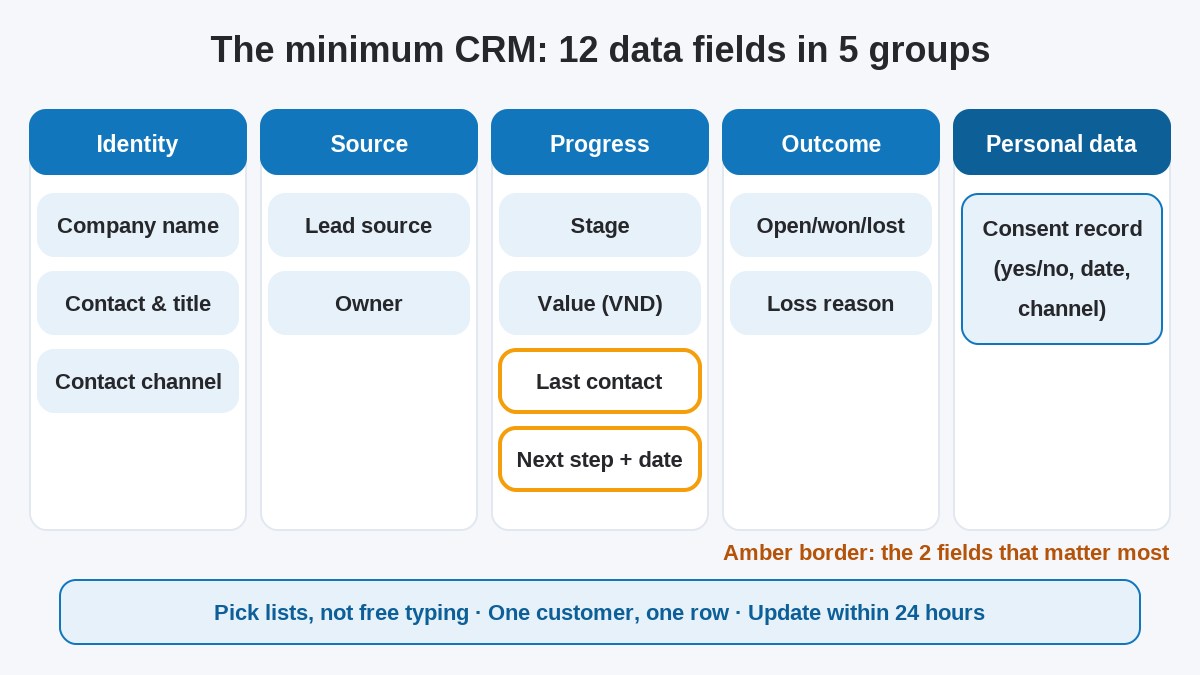
Field 12 matters in lesson 6. Add it now and you won't have to fix thousands of rows later, a job nobody on your team will be volunteering for.
Three entry rules that keep data clean
Having the fields is one thing; if everyone fills them in differently, the spreadsheet will still be a mess. These three rules keep things tidy.
- Use pick lists instead of free typing for every field you can (source, stage, loss reason). Free typing is where duplicates and typos are born.
- One customer, one row. Before adding a new customer, search by phone number or company name. If they're already there, update the row; don't create another.
- Update within 24 hours of every contact. The two most important fields are "last contact date" and "next step". Without them, every reminder, including those drafted by AI, rests on stale information.
Data doesn't clean itself. It stays clean through everyone's daily habits.
Tie these rules to your meeting rhythm. In the Monday meeting, the team looks only at data in the system and takes no verbal reports. Once people know they'll be seen through that data, they fill it in far more carefully. Our article How to set sales KPIs for SMEs has more ideas for linking data updates to targets.
Cleaning old data without getting stuck
In many businesses, the old customer list is a jumble of Excel files, phone contacts and chat messages, rather like the "I'll sort it later" drawer every home seems to have. Don't try to clean it all in one go; that's the fastest route to giving up halfway.
- Start with customers you've done business with or contacted in the last 12 months.
- Standardize phone numbers and company names with your spreadsheet's duplicate filter, or ask AI to suggest likely duplicates and let a person decide what to merge.
- Tag incomplete rows "unverified" instead of deleting them.
- Move customers you haven't contacted in a very long time to a separate list, so they don't clutter the active one.
When you ask AI to help clean data, remember that this is your customers' personal data. Mask or trim identifying details you don't need; for example, share the company name and industry but not the phone number. Lesson 6 goes deeper into this.
A minimum routine for a five-person team
Tuan owns an electrical equipment company in Can Tho with five salespeople (illustrative), and he decides the whole team will share one online spreadsheet. His routine fits into four checkpoints:
- He fixes the drop-down lists for source, stage and loss reason.
- Each rep edits only their own rows, within 24 hours of every contact; only the team lead may edit everything.
- On Monday morning, the team lead filters rows with no contact for more than 14 days and follows up with the owner of each.
- At month end, one person spends 30 minutes finding and merging duplicates.
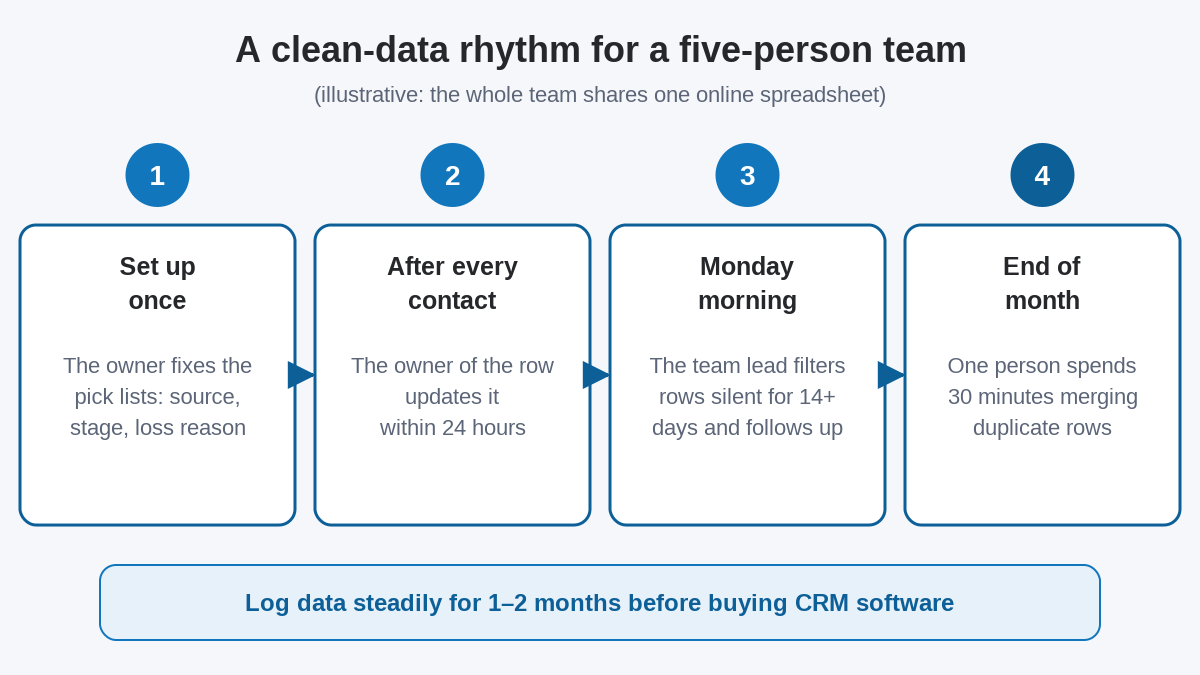
That's all it takes for Tuan's team to be ready for prospect scoring in lesson 4. No expensive software, no extra hires; just everyone keeping their own rhythm.
Practice exercise
The first setup takes about two hours, then only a few minutes a day. In return, the next time a customer calls about an old quote, you'll have the answer in thirty seconds.
- Create a spreadsheet (or open your current CRM) with the 12 fields above, plus drop-down lists for source, stage and loss reason.
- Enter your 20 most recent active prospects, following the rules exactly.
- Count how many rows are missing "last contact date" or "next step", and record that number as your baseline.
- Agree on the 3 entry rules and the update deadline with the team. After two weeks, count again and compare with your baseline.
If the number of incomplete rows has halved after two weeks, give the team some very specific praise in the next meeting. Good habits are like young plants: water them at the right moment and they take root surprisingly fast.
How Kingsley Asia can help
"Stay in the spreadsheet or move to a CRM?" deserves an answer drawn from your own team's data, not from a product brochure. Kingsley Asia can help you adapt the twelve fields to your industry, set the entry rules and build updates into the Monday meeting before any tool decision is made; it's part of our Business strategy & operations work. Questions about the spreadsheet you have today are welcome through our contact page.