
Monday, 9 a.m.: order slip #0412 is confirmed and printed in the sales office (illustrative example). By early afternoon it's in the warehouse tray. The storekeeper notices the customer still owes on an earlier order, so the slip goes to accounting for a credit check. Tuesday morning, accounting clears it, scribbles "OK to ship" in the margin and adds it to the pile waiting for your signature. Wednesday, you're out with a partner all day. Thursday, the slip is right where it was, now under two other folders.
Friday afternoon, the customer rings to ask where their goods are. By then the slip has crossed four desks and burned four working days, while the time anyone actually spent handling it probably adds up to less than two hours. Nobody in this story was lazy. The slow part was the route the paper took.
Process optimization is redrawing that route: following one piece of work from start to finish, cutting the steps that add nothing, shrinking the waits and catching errors earlier, so the same team gets more done with less strain. You don't need expensive software or a Lean Six Sigma belt for it. A large sheet of paper, the people who actually do the work and a bit of patience will get a small business started.
When should you optimize a process?
A motorbike with a few years on the clock usually warns you long before it breaks down: it drinks more fuel, the engine note changes, the brakes bite a beat late. Experienced riders don't wait to stall in the middle of traffic before booking a service. Processes make "funny engine noises" too, and these five are worth listening for:
- The same mistake keeps happening, and customers complain about the same issue.
- Work depends on a few "people who know how"; when they take leave, things nearly grind to a halt.
- Staff type the same information into several different files.
- Documents sit waiting for approval or a reply for days.
- Every increase in orders needs an almost equal increase in headcount.
There's one principle we'd love you to keep in mind before you start:
Optimize first, digitize second. Software running on a messy process just helps you make a mess faster.
The same goes for sales process automation. How many of the five are you hearing right now? Whichever one came to mind first is probably the process making the loudest noise.
Six steps to optimize a business process
Nobody who has sorted out a kitchen properly starts by tipping everything onto the floor. You go one cupboard at a time: take things out, decide what you still use and what goes, then put the everyday items back closest to hand. The six steps that follow work the same way.
Step 1. Choose one process, not all of them
Pick the process with the biggest impact on customers or cash flow, such as order to delivery, quotation to signed contract, or complaint handling. Get one process truly right before you replicate the approach elsewhere.
Take Thao, who runs a 20-person packaging printing company in Hanoi (illustrative example, not data from any real business). She picks "order to delivery," because it currently takes 7 days on average, while her competitors promise customers 4.
Step 2. Sketch the big picture with SIPOC
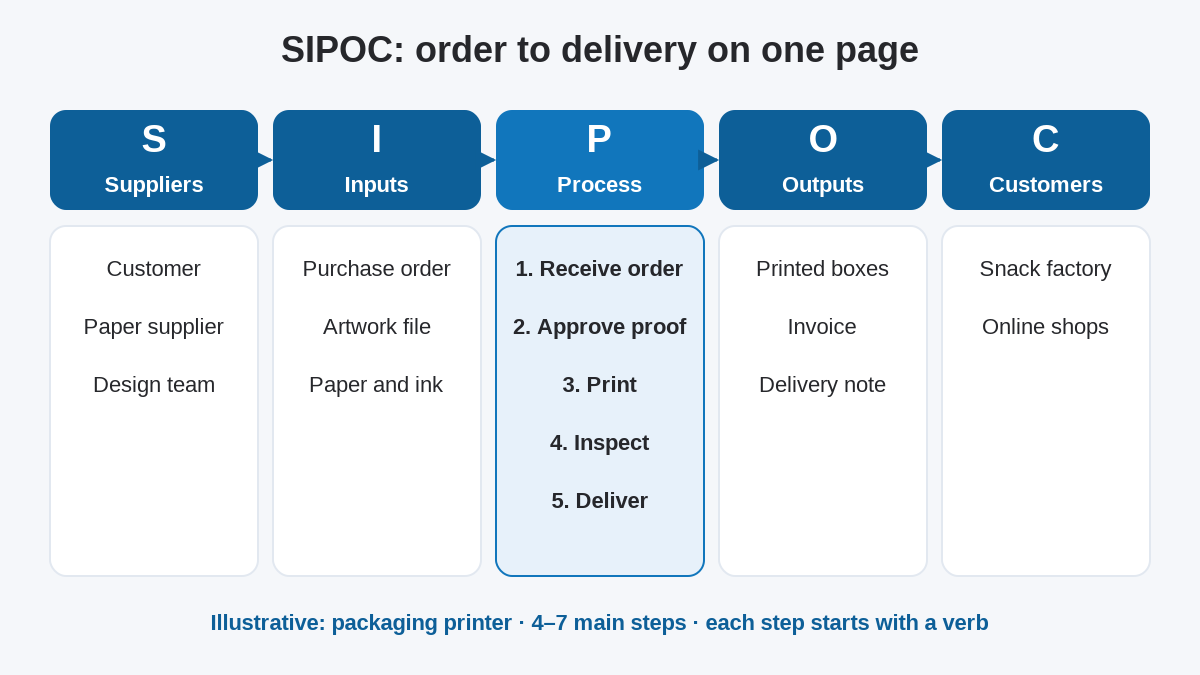
SIPOC stands for Suppliers, Inputs, Process, Outputs and Customers. According to APQC and other management guides, a SIPOC gives you a high-level view, typically with about four to seven main steps, so everyone agrees on where the process starts and ends before diving into detail. Start each step with a verb, such as "Receive order" or "Check stock."
Step 3. Map the process as it really runs, not as it's written
Invite the people who actually do the work, and record how they really do it: who acts, how long it takes, how long it waits, which tool carries it to the next step. This stage usually uncovers quite a few shortcuts nobody ever wrote down. According to ASQ, value stream mapping from lean goes further than an ordinary flowchart, because it captures both the flow of information and the time at each step.
Back to Thao: mapping with her team, she discovers that out of those 7 days, only about 2 are actual work; the other 5 are paperwork sitting and waiting (illustrative). It sounds hard to believe, but plenty of owners are just as surprised the first time they draw it out.
Step 4. Find the waste
Lean describes eight wastes, often remembered as DOWNTIME. Here's how they show up in office and service work (illustrative examples):
| Waste | Example in a services or trading company |
|---|---|
| Defects | A quotation with a wrong price; an invoice that must be corrected |
| Overproduction | A report nobody reads |
| Waiting | Documents waiting days for a signature |
| Non-utilized talent | A skilled employee stuck on data entry |
| Transportation | Files passed between many people and channels |
| Inventory | Piles of stock or half-finished files |
| Motion | Hunting for documents in several places |
| Extra-processing | Four approval levels for a small expense |
The first seven come from the Toyota Production System; the eighth, unused human talent, was added later.
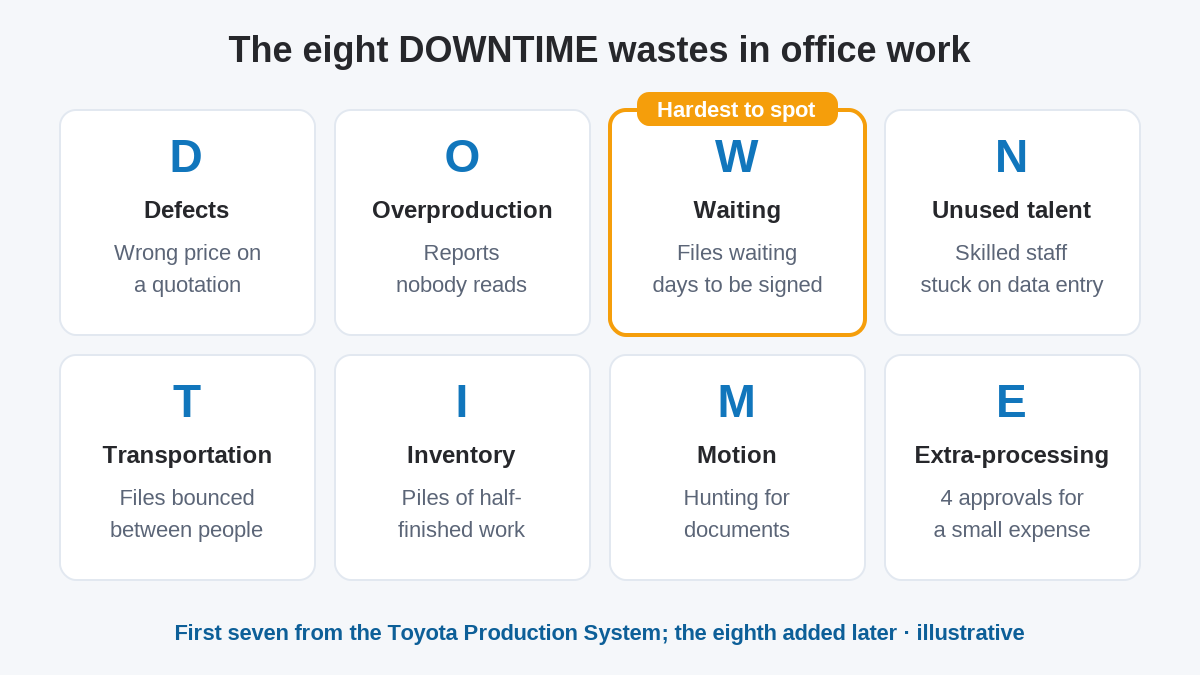
Of the eight, waiting is usually the hardest to spot, because it makes no noise at all. A folder resting quietly on a desk waiting for a signature looks perfectly tidy; only the customer is getting impatient.
Step 5. Design the new process and pilot it small
For each waste, ask in this order: can we eliminate it, combine it, reorder it, simplify it? Then test the new process with a small team or one customer group for two to four weeks before rolling it out company-wide.
Thao lets her head of sales confirm the balance for customers who have paid on time for the past 6 months, instead of waiting for accounting and then for her signature. She pilots it with 10 regular customers for 3 weeks, aiming to cut delivery time for that group from 7 days to 4 (illustrative).
Step 6. Lock it in and measure
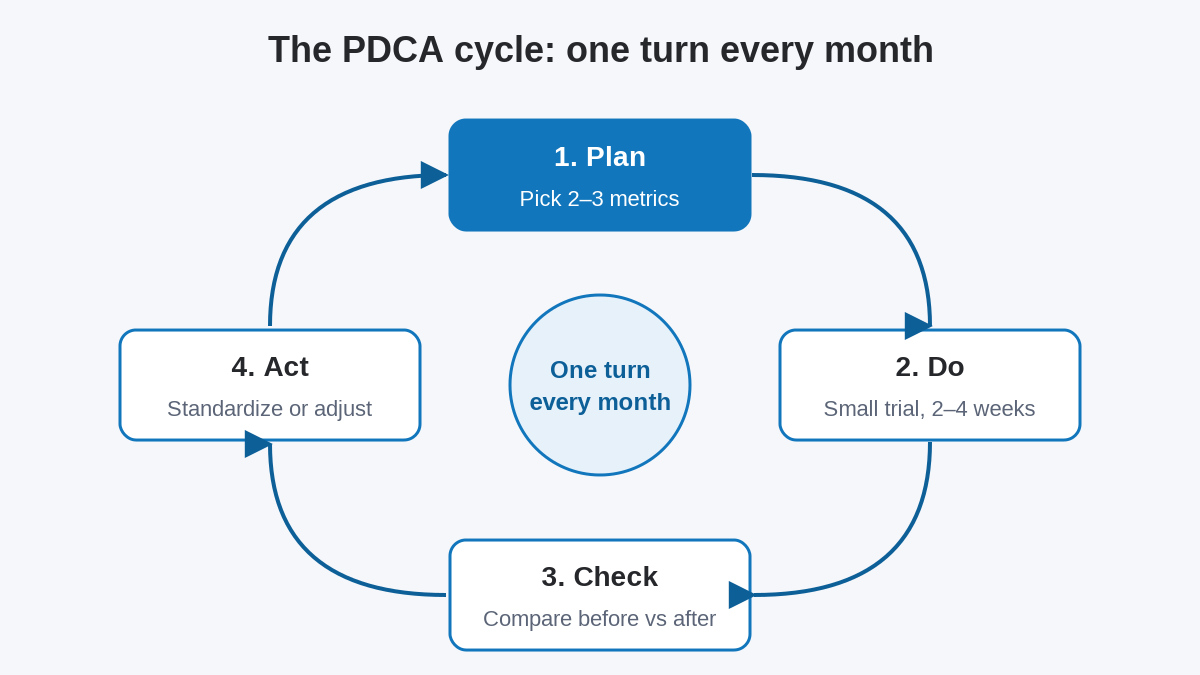
Write the new process as a one-page guide with a diagram. Then choose two or three easy metrics: average handling time, rework rate, customer satisfaction. Every month, review them using PDCA (Plan, Do, Check, Act), a continuous improvement cycle described in many quality management references.
The first week's job is small: finish step 1, then book a 90-minute session for step 2 with three or four people who do the work. A meeting already sitting in the calendar always goes further than ten rounds of "let's sit down when we have time."
Quick process review checklist
Pilots with thousands of hours still run a pre-flight checklist, not because they forget, but because memory gets unreliable exactly when things are busiest. Here's the equivalent for a process. Tick what you already have:
- The process has a name and one accountable owner.
- Start and end points are clearly defined.
- Each step has a named person, not just "the department."
- You know the average time of each step and of the whole process.
- There is at least one metric for output quality.
- Data is entered only once.
- Approvals follow limits; not everything has to go up to the boss.
- There is a plan for exceptions (customer changes their mind, stock-out, owner absent).
- A written guide lets a newcomer follow the process.
- The process is reviewed every quarter.
If you tick fewer than five, the process is probably still living in a few people's memory, and that's exactly where to start. One useful trick: have the process owner score it first, score it yourself separately, then put the two sheets side by side. Wherever your ticks disagree, something is usually going on.
Why improvements fade after three months
Process improvement has a very familiar way of failing. Month one, everyone is keen; by month three, things have quietly slid back to how they were. When teams dig into why, the cause is usually one of these five:
- Trying to fix everything at once, and ending up fixing nothing.
- Only managers drawing the process, when the people doing the work know best where it jams.
- Ignoring the human side. Changing how people work needs a clear reason and time to adjust.
- Not measuring before and after, so nobody knows whether the change actually worked.
- Adding too many rules. The goal is to simplify the work, not to create more paperwork; otherwise your new process is just a thicker folder waiting for a signature.
A good process also needs a sensible structure around it; see our article on org structure for growing companies. For sales teams, a practical place to begin is CRM for small businesses.
How Kingsley Asia can help
This is hands-on work we do with your team: sitting with the people who run a jammed process, mapping it, timing the waits desk by desk, piloting a leaner version and writing it up as a one-page guide with a few metrics to watch. The scope is laid out on our Business Strategy & Operations page. And if you have your own "four-day order slip," tell us about it.
Sources
- ASQ, Value Stream Mapping
- APQC, Improving Process Clarity: Mapping Processes with a SIPOC
- Asana, SIPOC diagram: what it is and how to create one
- Process Excellence Network, The eight deadly lean wastes: DOWNTIME
- Cornell CALS Pro-Dairy, Identifying Waste in Business Processes
- Lucidchart, Which process improvement methodology should you use?

Kingsley Asia
The Kingsley Asia consulting team – helping Vietnamese SMEs and international investors from strategy to execution.