
"Hi, could I speak to Tuan in sales? He quoted me for a batch of office chairs last month, and I'm ready to order."
"I'm sorry, Tuan left at the start of the month. Do you still have the quote he sent you?"
"I assumed you'd have it."
"Of course. Give me a moment to check, and I'll call you straight back."
That call is illustrative, but more than a few small-business owners will wince in recognition. Fifteen minutes later, the sales team is still scrolling through an old Zalo group and two spreadsheets, and nobody is sure which price was the final one. The customer, meanwhile, has already rung another supplier.
A CRM (customer relationship management system) is one shared place where the company records who its customers are, what has been said to them and what happens next, so that knowledge stays with the business instead of walking out with whoever happened to hold it. Choose well, and it replaces scattered spreadsheets and everyone's memory. Choose badly, and it becomes an expensive tool nobody opens.
People leave jobs. Customers shouldn't leave with them.
When a spreadsheet stops being enough
Anyone who cooks knows a kitchen only works when everything has a home. Salt goes here, fish sauce goes there, and whoever walks in can find them in seconds. Customer information is no different. When everyone keeps a little bit of it in their own drawer, the whole team spends part of every day rummaging through each other's cupboards.
The U.S. Chamber of Commerce notes that many small businesses adopt a CRM to replace a spreadsheet and manage contact information better. That's a sensible test. You're probably ready if two or more of these sound familiar:
- Customer details live in several people's phones, chat groups and spreadsheets.
- Callbacks, quotes and follow-ups slip through the cracks because nobody remembers who promised what.
- You can't say right now how many deals are in progress, or where they're stuck.
- When a salesperson leaves, their knowledge of your customers walks out the door with them.
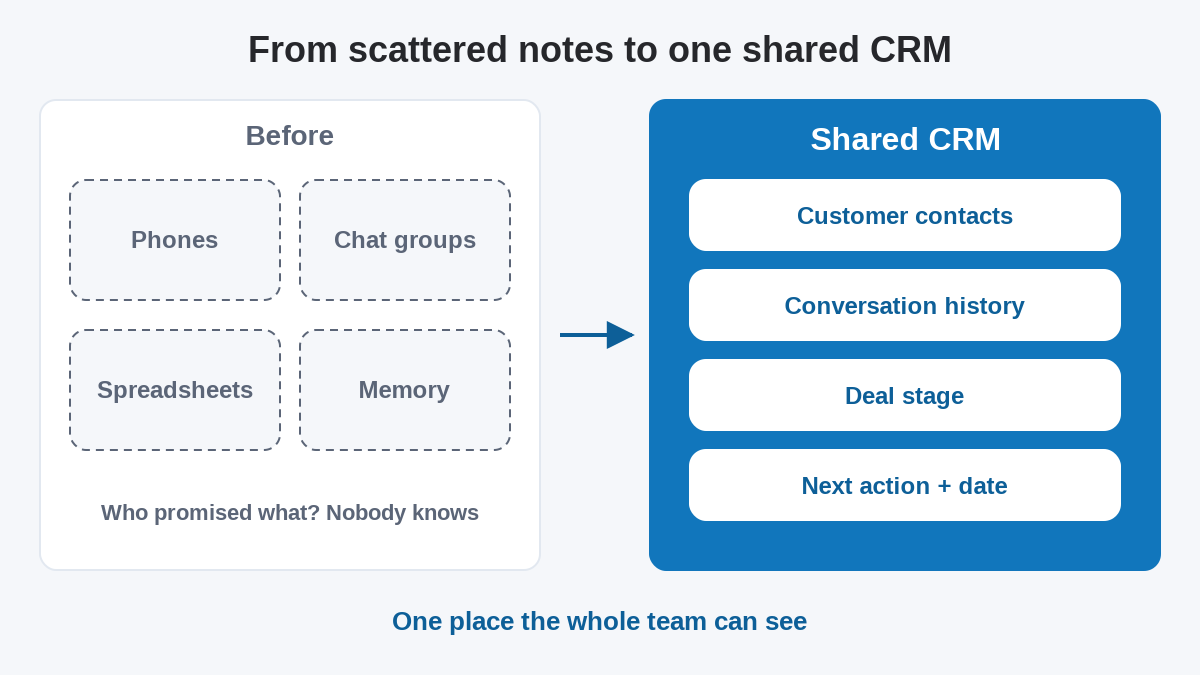
That doesn't mean everyone should buy software tomorrow. If you have a handful of customers and one person selling, a well-kept spreadsheet may be all you need for now. Don't buy software to solve a problem you don't have yet.
A quick count settles it. How many places hold information about your single biggest customer: whose phone, which chat, which file? More than three, and you have your answer.
Pick one problem before you sit through a demo
Walk into an electronics store for a simple rice cooker and within minutes you're admiring models with dozens of cooking modes, even though at home you only ever press "cook" and "keep warm." CRM demos work the same way. Every feature sounds wonderful, and most of them you'll probably never touch.
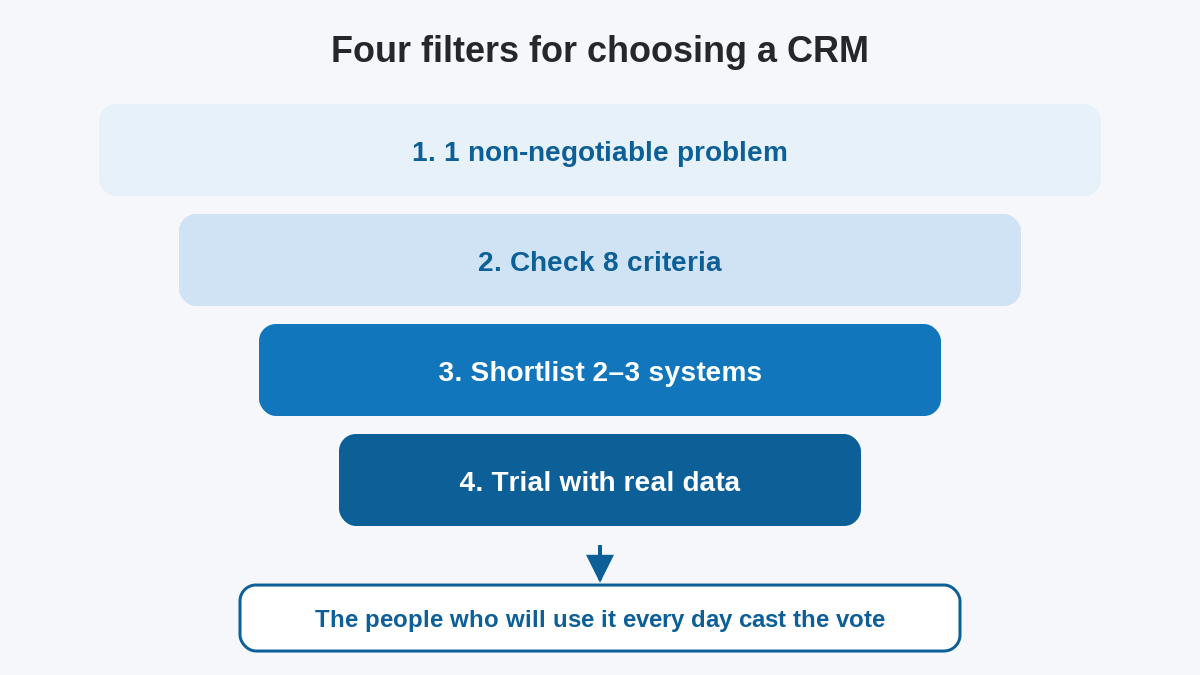
Capterra advises picking one pain point that is non-negotiable and judging every system against it before you sit through a single demo. For example: "no lead goes untouched for more than 24 hours", "the owner can see the pipeline on a phone", or "quotes and follow-ups live in one place" (illustrative examples).
Once you have that problem, write down three more things:
- Who will use it: salespeople, customer service, or you.
- What must be recorded: contact details, lead source, stage, deal value and next action.
- What it must connect to: email, calendar, the messaging apps your customers actually use, and accounting.
Those few lines become your brief, and a brief changes the conversation. Vendors now have to answer your questions instead of you sitting through whatever they came to sell.
How to compare CRM systems
Our sources keep returning to the same eight criteria. The right-hand column is the question to carry into every demo.
| Criterion | The question to ask |
|---|---|
| Fit for the problem | Does it solve your one non-negotiable need simply? |
| Ease of use | Can a new employee log a deal in under a minute, on a phone? |
| Total cost | Per-user fees plus add-ons, setup, training and your own time. Pipedrive notes the real cost goes well beyond the subscription |
| Support and training | Is help available in a language your team uses? TechRadar suggests checking the vendor's training resources |
| Integrations | Does it connect to email, calendar, messaging, accounting and your website forms? |
| Growth | Can you add users and fields later without a rebuild? |
| Data ownership | Can you export all your data easily if you leave? |
| Hosting | Cloud tools usually need no server or in-house technical staff, per Capterra |
Shortlist two or three systems, run a trial with real company data, and let the people who will use it every day cast the vote. One small warning: many CRM comparison articles are written by vendors, and their own product has a funny habit of finishing first. Read them by all means, but let your team's trial make the decision.
Want to know what your team really needs? Hand the table to your best salesperson and ask them to score one system they've heard of. Whichever criterion they agonise over is usually the one that's hurting them most.
Clear out the data before you move in
Every house move teaches the same lesson: whatever you don't sort before you go comes with you, and sits in a corner of the new place for years. Customer data behaves exactly the same way, so our advice never changes. Clear out first, then move in.
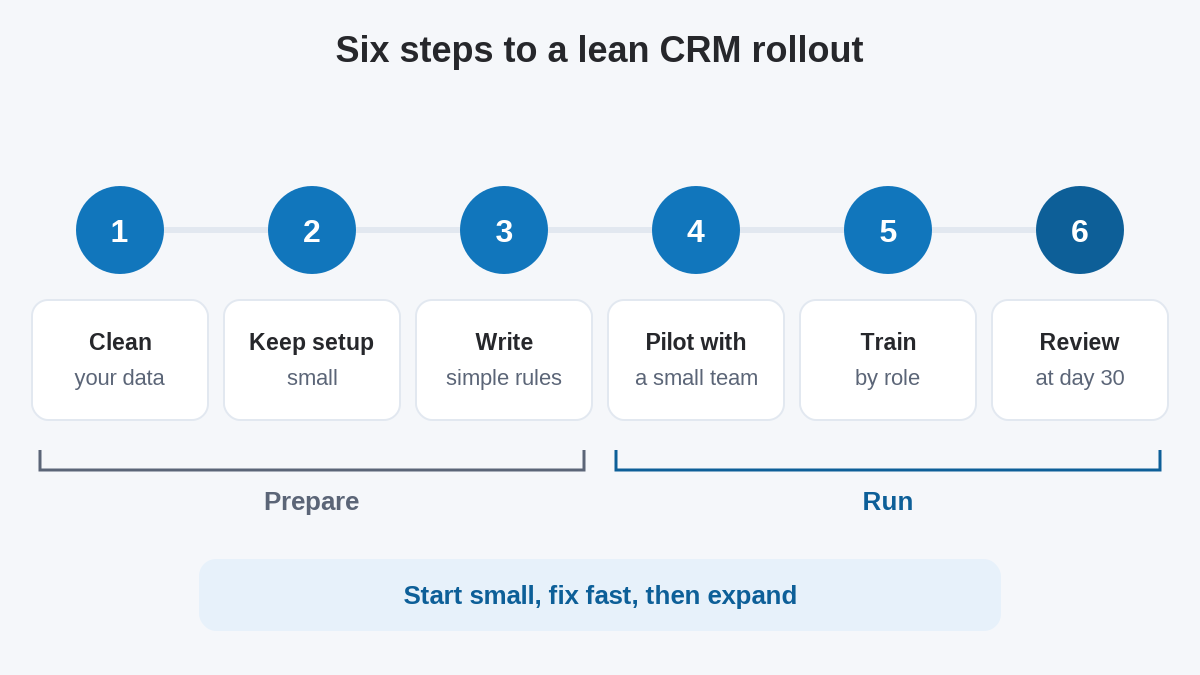
- Clean your data before importing it. Merge duplicates, fix names and phone numbers, and drop contacts you'll never use. Import a mess and you simply get a faster, more expensive mess.
- Keep the setup small. Define three to six pipeline stages and a short list of required fields. Everything else can wait.
- Write a few simple rules. Who enters what, and by when. Example (illustrative): every call or meeting is logged by end of day, and every deal always has a next action with a date.
- Pilot with a small group. Pipedrive's guidance recommends a pilot before full rollout. Smooth out the friction, then open it up to everyone.
- Train by role. Salespeople need to log and follow up; managers need to read the reports.
- Review after 30 days. Check whether the one problem you chose is actually improving, drop the fields nobody uses, and fix what your staff keep complaining about.
Almost everyone who has rolled out a CRM agrees on one thing: the owner's habits decide whether the team uses it. If the weekly sales meeting runs straight from the CRM instead of the boss's private spreadsheet, people update it without being chased. If the meeting still ends with "just email me the Excel file," the CRM quickly becomes a beautiful notebook nobody writes in.
A CRM won't make your team work harder. It makes hard work visible.
So pick one sales meeting next month and promise yourself it will run from the CRM and nothing else.
Customer data and the law in Vietnam
A CRM always holds personal data: names, phone numbers, email addresses. That means Vietnam's personal data rules apply to you. The Law on Personal Data Protection (Law 91/2025/QH15) took effect on 1 January 2026, with detailed guidance in Decree 356/2025/ND-CP, according to the Government Gazette and law-firm summaries.
Note: The legal information in this article is a summary based on the Kingsley Asia team's analysis of documents and sources published at the time of writing (11/2026). Policies may change; please confirm with a lawyer or accountant before acting on it.
The word "law" makes plenty of owners nervous, but the day-to-day practice is mostly common sense. Collect only the data you need, tell people what it's used for, restrict access to the staff who genuinely need it, and have a process to correct or delete data on request. Before you sign, ask the vendor how it stores data and where its servers are located.
Where a CRM fits in your sales system
A CRM is the shared desk your whole sales team works at. That desk only earns its keep once everyone agrees on the steps a sale goes through, and in what order. If you sell through several channels at once, such as a shop, a website and messaging apps, read our guide to building an omnichannel sales system. And if you plan to add AI tools down the road, our training series Optimizing SME Sales with AI explains why a minimum CRM comes first.
How Kingsley Asia can help
Before anyone mentions software, we map your sales steps with you and agree on the one problem the CRM has to solve; then we trial two or three systems on your real data and set a handful of entry rules your team can actually keep. You'll find the scope on our sales and marketing service page. Torn between a few specific products? Send us the shortlist.
Sources
- U.S. Chamber of Commerce – Choosing the best CRM software
- Capterra – How to choose a CRM for your small business
- Pipedrive – CRM checklist: how to choose and implement the right system
- TechRadar – How to choose a CRM for a small business
- Salesforce – CRM for small business
- Vietnam Government Gazette – Law No. 91/2025/QH15 on Personal Data Protection (2025)
- Vietnam Government Gazette – Decree No. 356/2025/ND-CP (2025)

Kingsley Asia
The Kingsley Asia consulting team – helping Vietnamese SMEs and international investors from strategy to execution.